Download Content from Telegram Channels

A cross-platform application for downloading media files, messages, and documents from Telegram channels with parallel downloads and HTML export.

macOS: Apple Silicon only (M1 or newer) — Intel Macs are not supported. The app is not signed with an Apple developer certificate, so the first launch is blocked until you allow it — here's how.

Telegram Channels Downloader

Screenshots

See the application in action with these screenshots

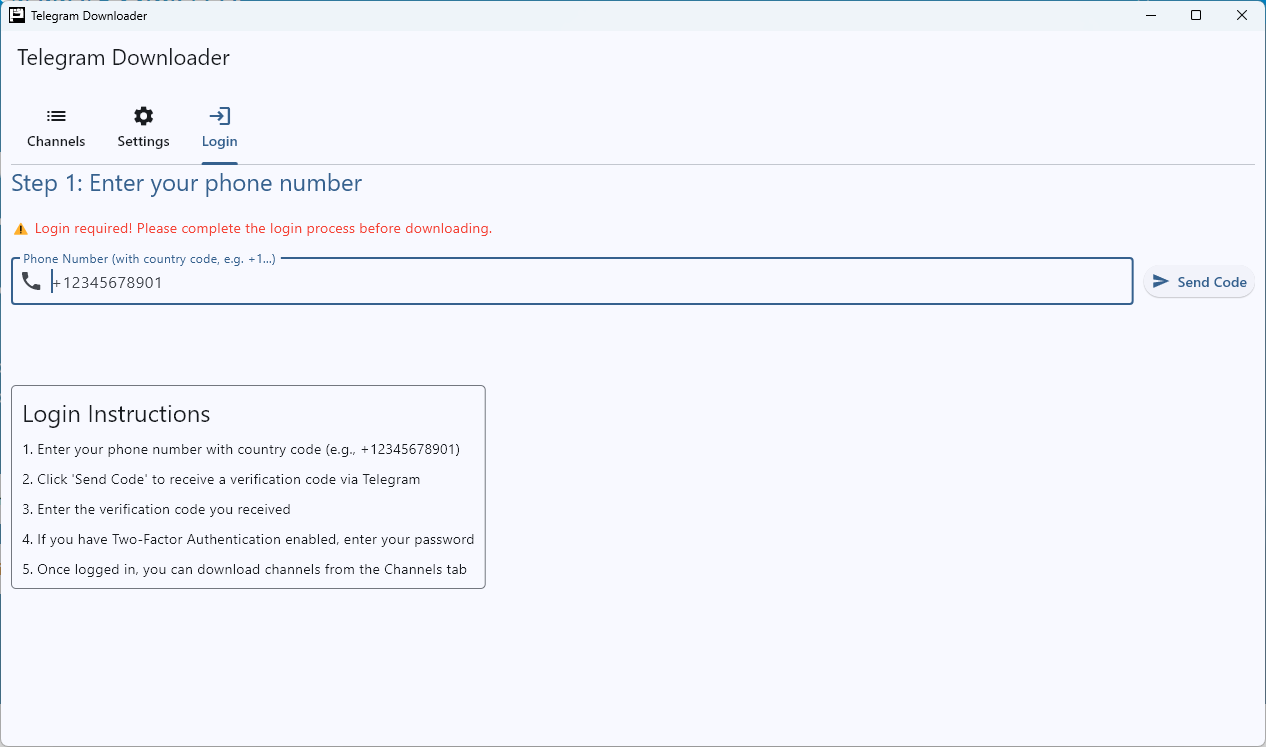
Login Screen
Login Screen

Simple login interface with Telegram API credentials.

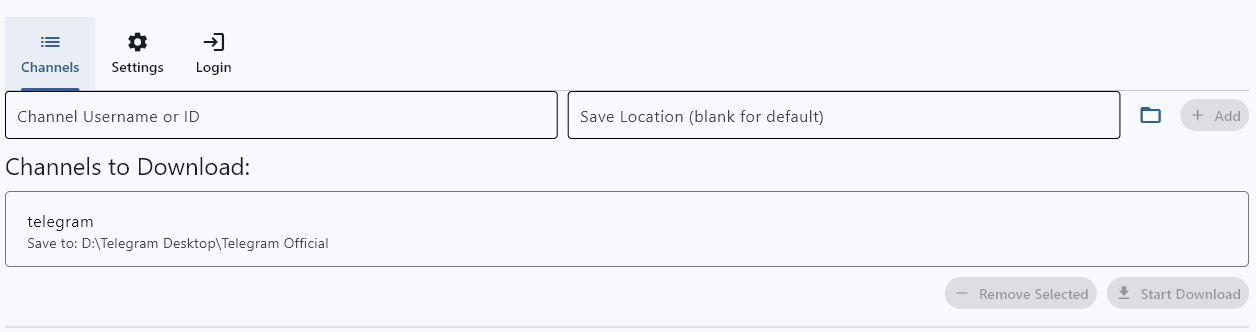
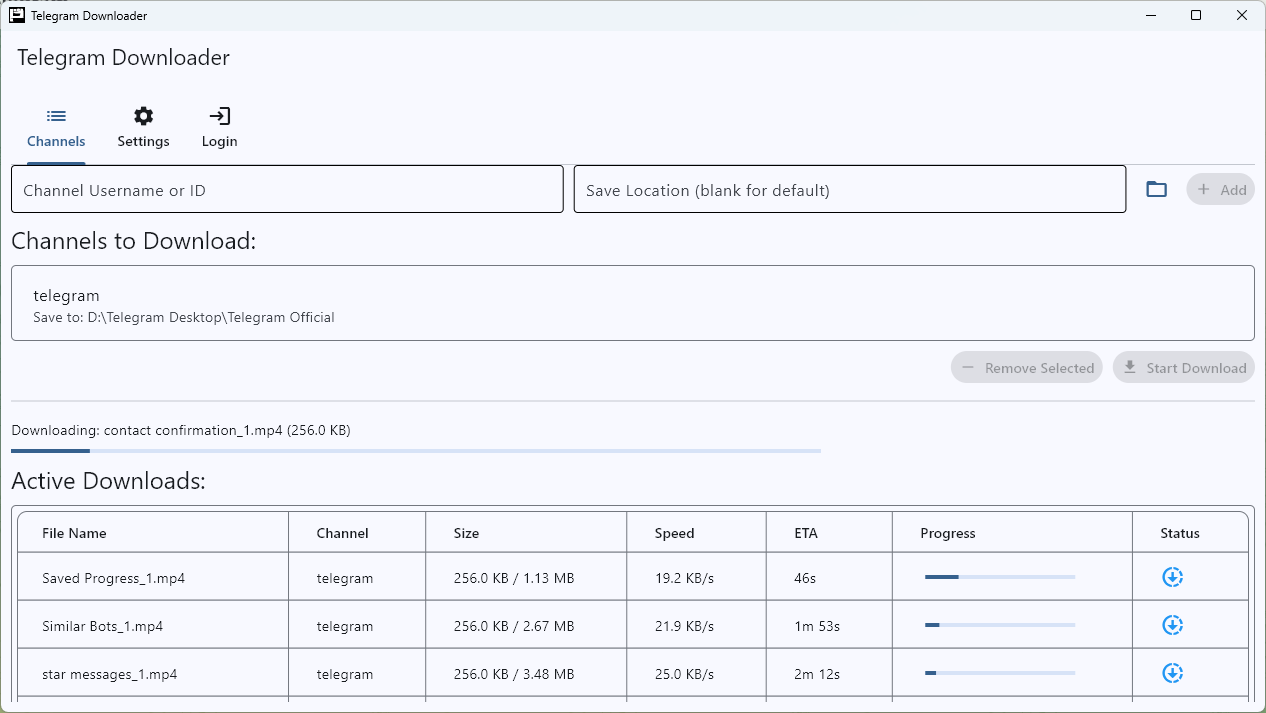
Channel List
Channel Management

Add, remove, and manage Telegram channels for downloading.

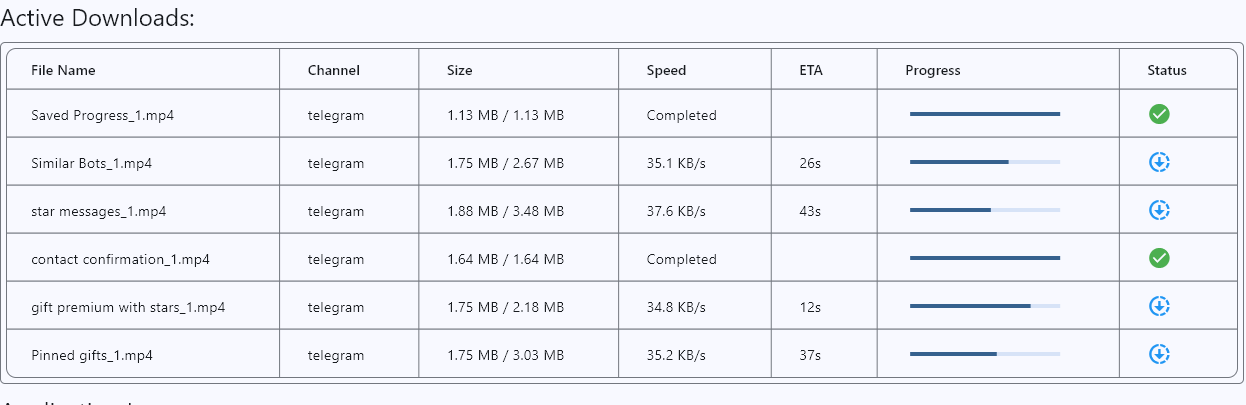
Download Progress
Download Progress

Real-time download progress with speed indicators.

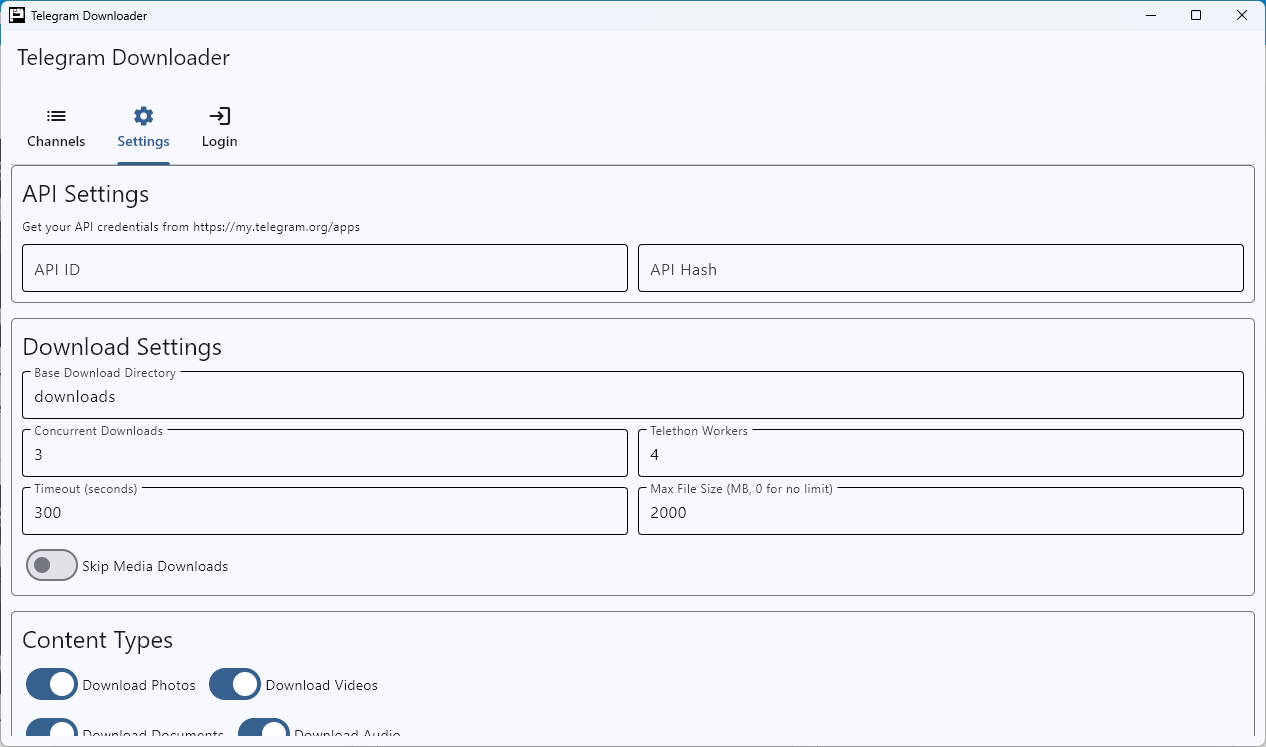
Settings Screen
Settings

Configure download options, automatic checks and the app's appearance.

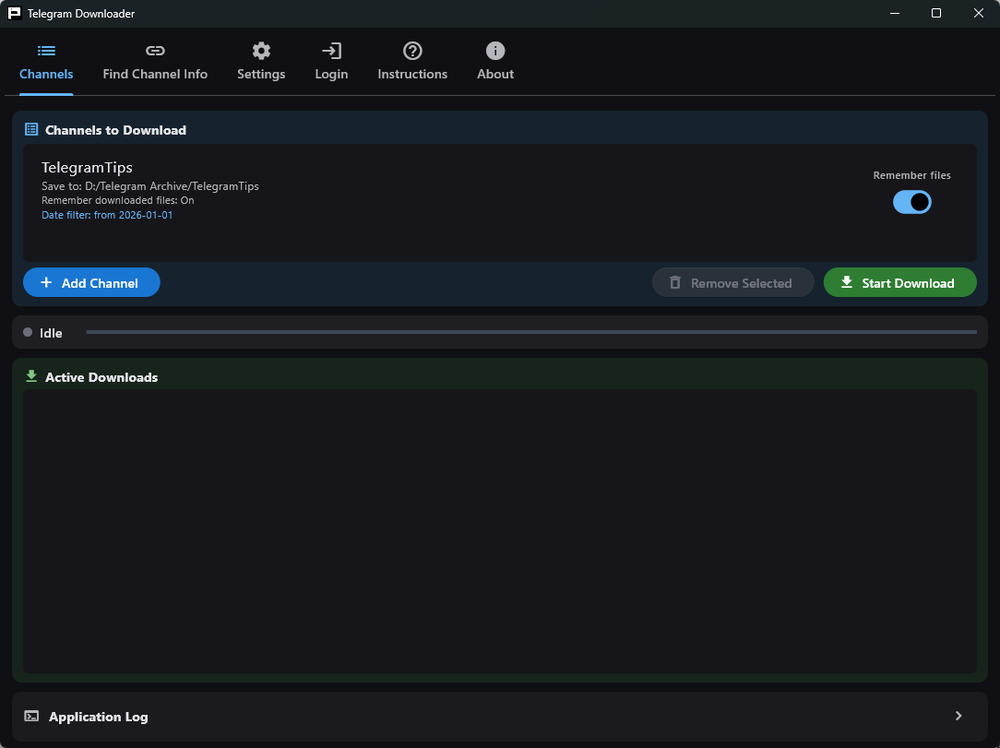
Dark Mode
Light & Dark Themes

Follows your system theme, or pick Light or Dark yourself.

HTML Export

View exported messages in a clean HTML format.

Cross-Platform Support

Desktop builds for Windows and macOS. Android is in progress.

How to Use

Follow these simple steps to get started with Telegram Channels Downloader

  1. Download the app
    Click the Windows or macOS download button at the top of this page. The macOS build requires an Apple Silicon Mac (M1 or newer).
  2. Extract the ZIP file
    Extract the downloaded ZIP file to a location of your choice.
  3. Run the application
    Open the extracted folder and run the executable file.

    On macOS, the first launch is blocked. The app is not signed with a paid Apple developer certificate, so macOS refuses to open it until you allow it once. It is a one-time step — every launch after that is normal.

    macOS 15 Sequoia and newer:

    1. Double-click the app. macOS blocks it — click Done.
    2. Open System Settings → Privacy & Security and scroll to the bottom.
    3. Next to the message about the blocked app, click Open Anyway, then confirm with Touch ID or your password.

    macOS 14 Sonoma and older: Control-click (or right-click) the app, choose Open, then click Open in the dialog.

    Still says the app is damaged? Open Terminal, type xattr -dr com.apple.quarantine followed by a space, drag telegram-downloader.app onto the Terminal window to fill in its path, press Return, then open the app again.

  4. Get Telegram API credentials
    Visit my.telegram.org/apps, log in with your Telegram account, and create a new application to get your API ID and Hash.
  5. Save API credentials and restart
    Enter your API ID and Hash in the application's login tab, click Save, and then restart the application.

    Important: You must restart the app after saving your credentials!

  6. Login with your phone number
    After restarting, enter your phone number (with country code) to log in to Telegram.
  7. Join the channel if it's private
    Make sure you've joined any private channels you want to download from using the Telegram app.
  8. Enjoy!
    Add channels, configure download settings, and start downloading content!

About the Project

What is Telegram Channels Downloader?

A powerful cross-platform application designed to download content from Telegram channels efficiently.

Telegram Channels Downloader allows you to save media files, messages, and documents from any Telegram channel you have access to. It features parallel downloads for faster processing, HTML export for easy viewing, and a user-friendly interface.

Key Features

  • Download media files from Telegram channels
  • Export messages to HTML format
  • Track download progress with real-time stats
  • Configure download settings
  • Cross-platform support (Windows, macOS, Linux, Web)
  • Resume interrupted downloads
  • Filter content by file type
  • Light and dark themes that follow your system setting

Built with Modern Technology

Developed using Python with Flet for the UI (Flutter for Python), and Telethon for Telegram API integration.

Python Flet Flutter Telethon Cross-Platform

Frequently Asked Questions

Find answers to common questions about the Telegram Channels Downloader

Yes! You must restart the application after saving your credentials for them to take effect.

Important: If you don't restart the app after saving your API credentials, the app will not be able to connect to Telegram.

To get your Telegram API credentials:

  1. Visit https://my.telegram.org/apps
  2. Log in with your Telegram account
  3. Create a new application if you don't have one
  4. Note your api_id and api_hash
  5. Enter these credentials in the application's login tab
  6. Click the "Save" button

Important: You must restart the application after saving your credentials for them to take effect.

To add channels for downloading:

  1. Go to the Channels tab in the application
  2. Enter the channel username or ID in the input field
  3. Select a save location or leave blank for default
  4. Click the "Add" button
  5. The channel will appear in the list below

Note: You must be a member of the channel to download its content.

The application supports downloading various file types from Telegram channels:

  • Photos and images
  • Videos and animations
  • Documents (PDFs, DOCs, etc.)
  • Audio files
  • Voice messages
  • Stickers

You can configure which types to download in the Settings tab.

Yes, the application supports resuming interrupted downloads. If a download is interrupted for any reason (network issues, application closed, etc.), you can simply restart the download process for the same channel, and it will continue from where it left off.

The application keeps track of downloaded messages and files using metadata stored in each channel's directory.

No. Max File Size defaults to 0, which means no limit — every file is downloaded whatever its size.

You can set a limit in the Settings tab if you want to skip large files and save disk space. Any value above 0 is treated as a limit in MB, and files larger than that are skipped and logged.

Version 0.3.0 shipped with this set to 2000 MB by mistake, which silently skipped anything over 2 GB. Fixed in 0.3.1. If you upgraded from 0.3.0, check the value in Settings — your existing config keeps whatever was saved.

This is expected. The app is not signed with a paid Apple developer certificate and is not notarized, so macOS blocks it the first time. Allowing it once is enough — it opens normally from then on.

macOS 15 Sequoia and newer: double-click the app, click Done on the warning, then go to System Settings → Privacy & Security, scroll to the bottom and click Open Anyway.

macOS 14 Sonoma and older: Control-click (or right-click) the app, choose Open, then click Open in the dialog. The plain double-click does not offer this option — you have to use the right-click menu.

If macOS calls the app damaged, the quarantine flag needs clearing. In Terminal, type xattr -dr com.apple.quarantine and a space, drag telegram-downloader.app onto the Terminal window, and press Return.

The macOS build needs an Apple Silicon Mac (M1 or newer) running macOS 11 Big Sur or later. It will not run on an Intel Mac.
Submit Issues & Feedback

Found a bug or have a suggestion? We'd love to hear from you!

Report Issues or Share Feedback

Help us improve the Telegram Channels Downloader by reporting bugs, requesting features, or sharing your feedback. Your input is valuable to us!

What you can submit:
  • Bug reports
  • Feature requests
  • General feedback
  • Suggestions for improvement
Submit Issue or Feedback

Your privacy is important to us. Please don't include sensitive information in your reports.

Join Our Telegram Channel

Stay updated with the latest news, releases, and tips

TGLoader Updates

Join our official Telegram channel to get notified about new releases, feature updates, bug fixes, and tips for using TGLoader effectively.

  • Release announcements & changelogs
  • Tips & tricks
  • Community support
  • Security updates
Join @tgloader_updates

Disclaimer

Important Information
Usage Responsibility

This tool is provided for educational and personal use only. Users are responsible for ensuring they have the right to download content from the channels they access. Please respect copyright and intellectual property rights.

No Liability

The developers of Telegram Channels Downloader are not responsible for:

  • Any misuse of this software
  • Any violations of Telegram's Terms of Service
  • Any copyright or intellectual property infringements
  • Any data loss or damage to your system
Telegram API Usage

This application uses the official Telegram API through the Telethon library. Users must provide their own API credentials and are subject to Telegram's API usage limits and policies.

Note: By using this software, you agree to these terms and acknowledge that you will use the tool responsibly and legally.

Changelog

Latest updates and improvements

Version 0.3.1 - Current
  • Fixed
    Dark mode is usable again — text, icons and input borders were unreadable or invisible against the dark background
  • Added
    Appearance setting in Settings — Follow system, Light or Dark, applied instantly with no restart
  • Fixed
    Max File Size started at 2000 MB on a fresh install instead of unlimited, silently skipping larger files
  • Improved
    The app now follows your operating system's light/dark setting and switches live when you change it
  • Improved
    All text and controls meet WCAG AA contrast in both themes
  • Improved
    Smaller download — stale files that were being packaged by mistake have been removed
Version 0.3.0
  • Added
    Update mechanism
  • Improved
    UI improvements
  • Added
    Options to skip or cancel individual downloads
  • Fixed
    Fixed downloads timing out
  • Added
    Date-based filters to download partial channel data
  • Added
    Option to remember downloads — no more re-downloading of files on move
  • Added
    In-app instructions
  • Added
    Option to backup channels and settings
  • Added
    Channel statistics including download progress, remaining items, and more
  • Improved
    Many more updates and enhancements
Version 0.2.2
  • Added
    About tab with version info, developer details, and donate link
  • Added
    Official Telegram channel for updates: @tgloader_updates
  • Improved
    Updated site with Donate section and Telegram channel integration
Version 0.2.1
  • Fixed
    Fixed timeout issues when downloading large batches of files or files with large sizes.
Version 0.2.0
  • Improved
    Minor UI enhancements
  • Improved
    Speed improvements
  • Fixed
    Different files with same name were being overwritten, added IDs along with the filename
Version 0.1.5
  • Added
    Reset Login Data button in Settings tab to clear API credentials and session files
  • Fixed
    API ID validation issue in packaged executable that prevented login
  • Improved
    Better error handling for API credentials with detailed error messages
  • Improved
    Enhanced API ID/hash validation to ensure proper format and range
Version 0.1.3
  • Added
    New "Find Channel Info" tab to extract channel username or ID from invite links
  • Added
    Support for channel IDs without the "-100" prefix (automatically converted)
  • Improved
    Better placeholder text for channel ID input showing supported formats
  • Fixed
    Various UI improvements and bug fixes
Version 0.1.2
  • Fixed
    Custom channel directory selection now properly respected during downloads
  • Added
    Restart notification dialog after saving settings
  • Improved
    Channel directory handling and path management
  • Updated
    UI components to use latest Flet APIs
Version 0.1.1 - Initial Release
  • New
    First public release of Telegram Channels Downloader
  • Feature
    Download media files from Telegram channels
  • Feature
    HTML export of channel messages
  • Feature
    Parallel download support